Plans & Pricing
SAR Portal offers flexible plans to match your organization’s needs.
Available Plans
Basic Plan
For small businesses just starting with GDPR compliance.
| Feature | Limit |
|---|---|
| Cases per month | 1 |
| Users | 1 |
| Storage | 1 GB |
| AI Features | Limited |
Best for:
- Small businesses
- Low DSAR volume
- Basic compliance needs
Starter Plan
AI-powered processing for growing businesses.
| Feature | Limit |
|---|---|
| Cases per month | 5 |
| Users | 3 |
| Storage | 5 GB |
| AI Features | Full |
Best for:
- Growing companies
- Regular DSAR handling
- AI redaction needs
Pro Plan
Full features for high-volume organizations.
| Feature | Limit |
|---|---|
| Cases per month | 25 |
| Users | 10 |
| Storage | 25 GB |
| AI Features | Full + Priority |
Best for:
- Large organizations
- High DSAR volume
- Enterprise requirements
Enterprise
Custom solutions for large organizations.
Custom pricing includes:
- Custom case limits
- Custom storage
- SSO integration
- Dedicated support
- Custom SLA
- On-premise options
Contact sales for Enterprise pricing.
Pricing
Billing Options
| Plan | Monthly | Annual |
|---|---|---|
| Basic | €29/mo | €199/yr |
| Starter | €59/mo | €590/yr |
| Pro | €199/mo | €1,990/yr |
Annual billing provides significant savings.
Free Trial
14-Day Trial
All plans include a 14-day free trial:
- Full access to plan features
- No credit card required to start
- Cancel anytime during trial
- Automatic end if not upgraded
During Trial
You can:
- Test all features
- Create real cases
- Invite team members
- Evaluate fit for your needs
After Trial
If you don’t upgrade:
- Read-only access to existing data
- Cannot create new cases
- Can upgrade anytime to continue
Changing Plans
Upgrading
- Go to Billing
- Click Change Plan
- Select higher plan
- Confirm upgrade
- New features available immediately
Billing is prorated - you only pay the difference for the remaining period.
Downgrading
- Go to Billing
- Click Change Plan
- Select lower plan
- Review impact (features lost)
- Confirm downgrade
Downgrade takes effect at end of current billing period.
Downgrade Restrictions
You may not be able to downgrade if you exceed the lower plan's limits (users, storage). Reduce usage first.
Plan Features Comparison
| Feature | Basic | Starter | Pro |
|---|---|---|---|
| Case Management | Yes | Yes | Yes |
| Public Portal | Yes | Yes | Yes |
| Email Notifications | Yes | Yes | Yes |
| Audit Logs | Yes | Yes | Yes |
| AI PII Detection | Limited | Full | Full |
| AI Redaction | No | Yes | Yes |
| Batch Processing | No | Yes | Yes |
| Role-Based Access Control | Basic | Basic | Full |
| Custom Branding | No | No | Yes |
| Historical Case Import | No | No | Yes |
| Priority Support | No | No | Yes |
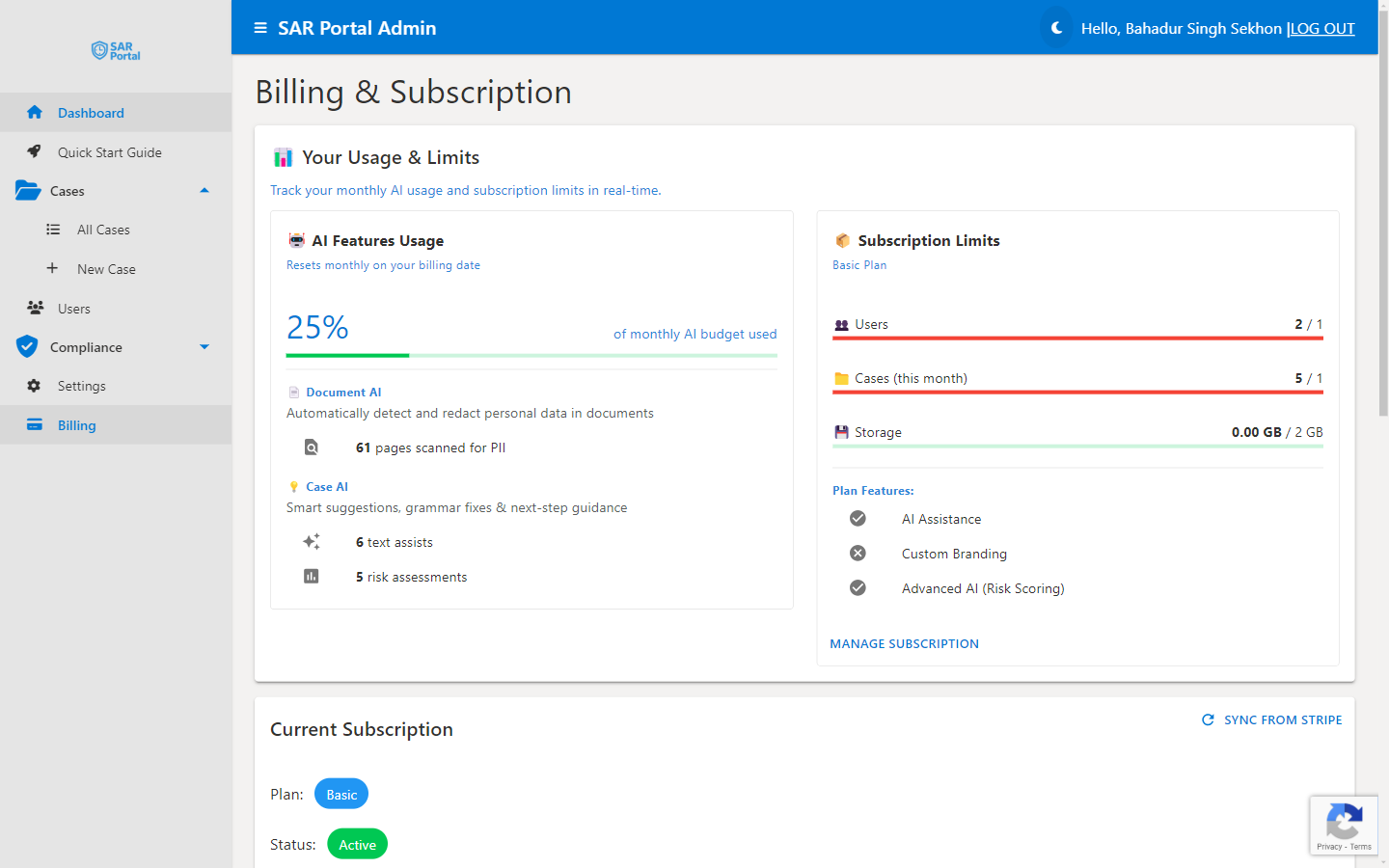
Accessing Billing
- Click Billing in the sidebar
- View current plan and usage
- Manage payment methods
- View invoices
- Change plans
Payment Methods
Accepted Methods
- Credit cards (Visa, Mastercard, Amex)
- Debit cards
- SEPA Direct Debit (EU)
Updating Payment
- Go to Billing
- Click Payment Methods
- Add new method
- Set as default
- Remove old method if desired
Invoices
Accessing Invoices
- Go to Billing
- Click Invoices
- View/download any invoice
Invoice Contents
- Plan charges
- Usage period
- VAT (if applicable)
- Payment status
VAT
For EU businesses:
- VAT charged based on your country
- Provide VAT number for reverse charge
- Invoices include proper VAT documentation