Audit Logs
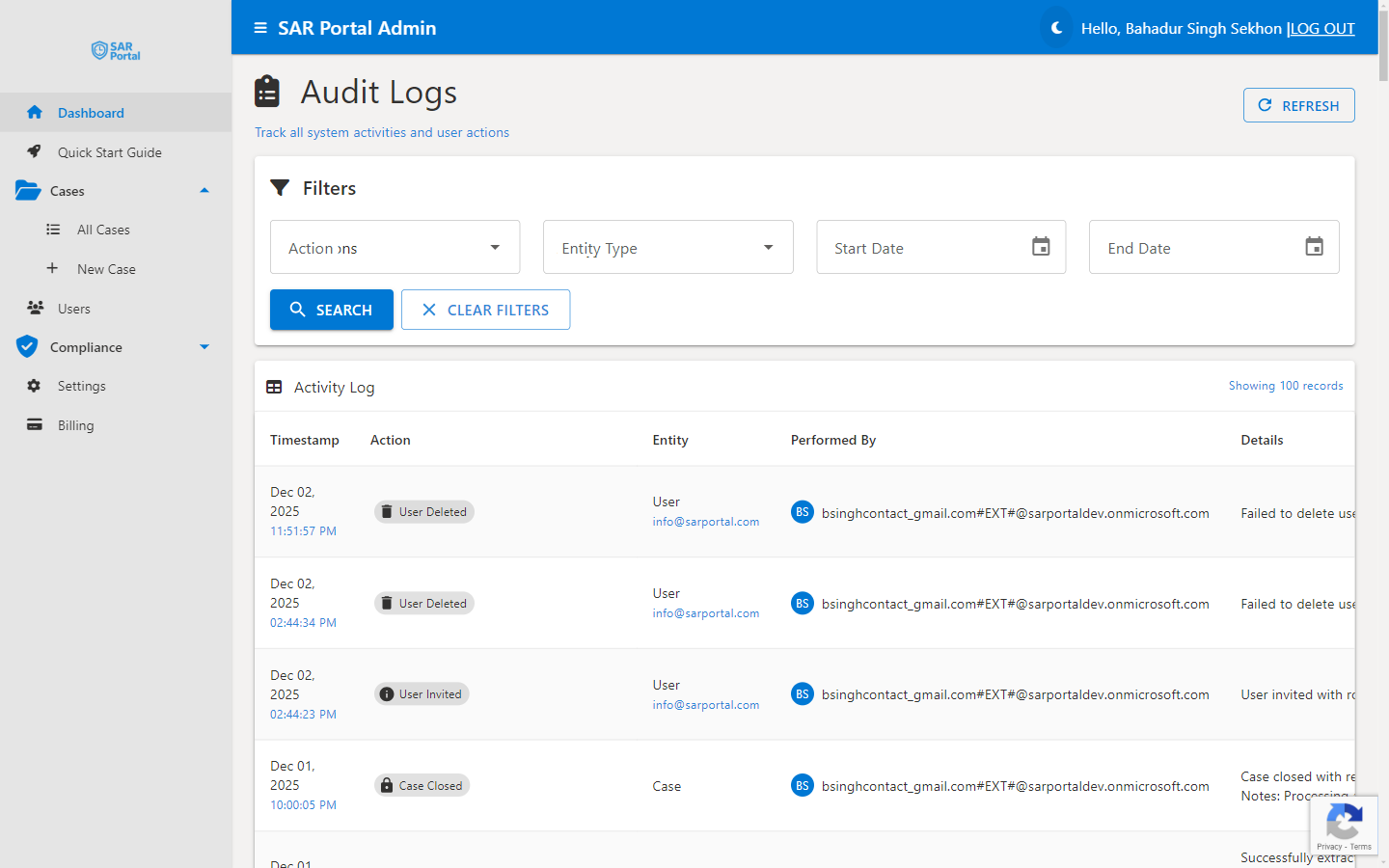
Audit logs provide an immutable record of all activities in SAR Portal, essential for demonstrating GDPR compliance.
View Audit Logs →
Audit Logs - Immutable record of all system activities
What Are Audit Logs?
Audit logs are automatic, tamper-proof records of every action taken in the system. They capture:
- What happened - The specific action
- When it happened - Precise timestamp
- Who did it - User identification
- What was affected - The entity or case
- Additional context - Relevant details
Viewing Audit Logs
Access the Logs
- Go to Compliance in the sidebar
- Click Audit Logs
- Use filters to find specific entries
Filter Options
| Filter |
Purpose |
| Date Range |
Entries within a time period |
| Event Type |
Specific action types |
| Entity Type |
Case, Document, User, etc. |
| User |
Actions by specific user |
Event Types Logged
Case Events
| Event |
Description |
| Case Created |
New case was created |
| Case Status Changed |
Status transition |
| Case Information Requested |
Info request sent to subject |
| Case Extended |
Deadline extension applied |
| Case Closed |
Case was completed |
| Case Anonymized |
Personal data removed |
Document Events
| Event |
Description |
| Document Uploaded |
File added to case |
| Document Downloaded |
File was downloaded |
| Document Viewed |
File was viewed |
| Document Deleted |
File was removed |
| Document Restored |
Deleted file restored |
| PII Detection Started |
AI analysis began |
| PII Detection Completed |
AI analysis finished |
| Redaction Applied |
Redactions saved |
User Events
| Event |
Description |
| User Invited |
Invitation sent |
| User Joined |
User activated account |
| User Role Changed |
Permissions updated |
| User Deactivated |
User access removed |
System Events
| Event |
Description |
| Settings Changed |
Configuration updated |
| Subscription Changed |
Plan change |
| Email Sent |
Notification delivered |
Log Entry Details
Each entry contains:
- Timestamp - UTC date and time
- Event Type - Category of action
- Description - Human-readable summary
- User ID - Who performed the action
- User Email - For identification
- IP Address - Where action originated (if applicable)
- Entity Type - Case, Document, User, etc.
- Entity ID - Unique identifier
- Related Email - Associated subject (hashed after anonymization)
Immutability
What Makes Logs Immutable
- Logs cannot be edited after creation
- No delete functionality for log entries
- Timestamps are system-generated
- Changes create new entries, don’t modify existing
Why Immutability Matters
- Required for regulatory evidence
- Prevents tampering with compliance records
- Creates trustworthy audit trail
- Supports legal proceedings
Using Logs for Compliance
Responding to Regulatory Inquiries
- Identify the relevant time period
- Filter logs for the specific case
- Export relevant entries
- Provide as evidence
Internal Audits
- Review activity patterns
- Verify proper procedures followed
- Identify training needs
- Document compliance processes
Incident Investigation
- Filter by date/time of incident
- Review all related actions
- Identify what happened
- Document findings
Log Retention
Retention Period
Audit logs are retained according to GDPR requirements:
- Standard retention: 7 years
- Based on Article 17(3)(e) - legal defense purposes
- Aligned with typical limitation periods
After Retention Period
- Logs may be archived
- Summary statistics retained
- Individual entries removed
Best Practices
Regular Review
- Check logs periodically
- Look for unusual patterns
- Verify expected activities occurred
Before Case Closure
- Review case audit trail
- Ensure all required steps documented
- Verify communications logged
For Sensitive Cases
- Monitor more closely
- Review all document access
- Verify authorization for actions
For Compliance Reporting
- Use date filters for reporting periods
- Export relevant logs
- Include in compliance documentation
Exporting Logs
- CSV for spreadsheet analysis
- PDF for formal reports
Export Options
- Selected date range
- Specific event types
- Filtered results only
Use Cases
- Regulatory submissions
- Internal reports
- Legal proceedings
- Compliance audits
Privacy in Logs
What’s Logged
- Action metadata
- User identifiers
- Entity references
- Timestamps
What’s NOT Logged
- Personal data content
- Document contents
- Full email addresses (after anonymization)
- Sensitive case details
After Anonymization
- Emails become hashes
- Names removed
- Actions still traceable via hash